

Smart Connect · London, Ontario
A stronger foundation for every connected device.
Build a dependable connection behind your smart-home devices, home office, entertainment and everyday work.
Or call +1 (226) 236-6286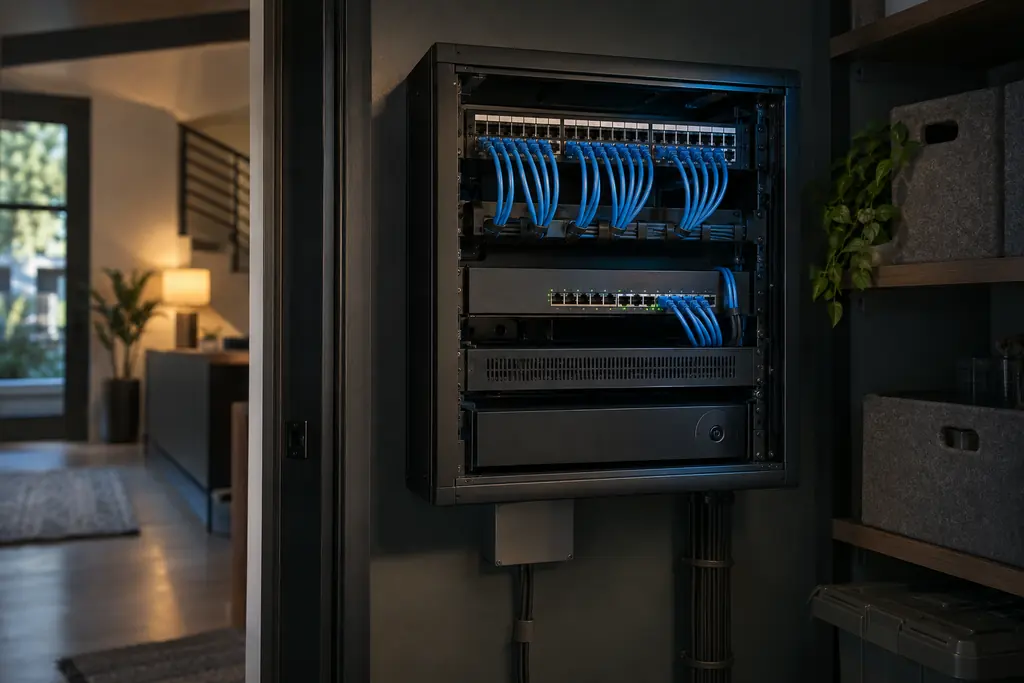
A practical starting point
What we can plan together
Recommendations depend on your layout, internet equipment, existing cabling and connected devices. We’ll clarify what can be reused and what needs further assessment before a quote.
- Wi-Fi and mesh network planning
- Ethernet, Cat6 and access-point placement
- PoE setup and connected-device troubleshooting
Devices & systems
What we can connect
What we’ll check: Building layout, internet equipment, existing cabling and the number of connected devices.
- 01
Mesh Wi-Fi & access points
Plan coverage around your rooms and devices.
- 02
Ethernet / Cat6
Wired connections where they make sense.
- 03
PoE networking
Network and power for compatible equipment.
Examples only. Final products and scope are selected for your space.
No surprises
What installation involves
- A network cabinet location with power, near where the internet line comes in.
- Cat6 to each access point, and to desks or TVs that should be wired.
- A PoE switch that powers access points and cameras over the same cable.
- Ceiling access points placed from a coverage plan to −66 dBm, then checked.
- Separate networks for personal, guest and smart devices.
By the numbers
- −66 dBm
is the signal level Cisco’s RF guide cites as a common standard for Wi-Fi coverage surveys. It’s the level we design rooms and work areas to.
Cisco - 3–12 dB
of signal lost through each wall: about 3 dB through drywall and around 10–12 dB through brick or concrete. Every 3 dB is roughly half the signal.
Cisco - Separate
networks for smart devices and guests, away from systems that hold sensitive data — the Canadian Centre for Cyber Security’s guidance for IoT.
Canadian Centre for Cyber Security
Published averages and survey results, not guarantees for your property. Sources checked October 2026.
From first call to connected space
Thoughtful at every step.
Device compatibility, integrations and project scope are confirmed for each property. Examples describe possibilities, not guaranteed outcomes.
- 01
Consult
A free phone conversation about your space, your priorities and what you already own.
- 02
Assess
On site: wiring, Wi-Fi coverage, doors, heating and cooling, and existing equipment — measured, not guessed.
- 03
Design
A written plan and itemized proposal: every device, every cable run and what each part does for you.
- 04
Install & connect
Network first, then devices. Licensed trades handle any regulated electrical work.
- 05
Program & test
Scenes and routines set up, then every system tested: coverage, recording, alerts and manual overrides.
- 06
Hand over & support
A walkthrough, documentation and a manual-override guide, with optional monthly or annual support.

Your free first step
Start with a conversation.
Tell us what you’re working with and what you’d like to improve.